
Staff member documents tab- Viewing existing documents and audit history
The documents tab on staff member records is used for uploading documents to a staff member record, where the document is not required to be assigned to a defined skill or note record. This could be a copy of a passport for identification purposes, or a right to work in the UK document, for example.
You will be able to view documents uploaded to the staff member by selecting the documents tab, see below for examples.
Step 1 – Select the View icon.
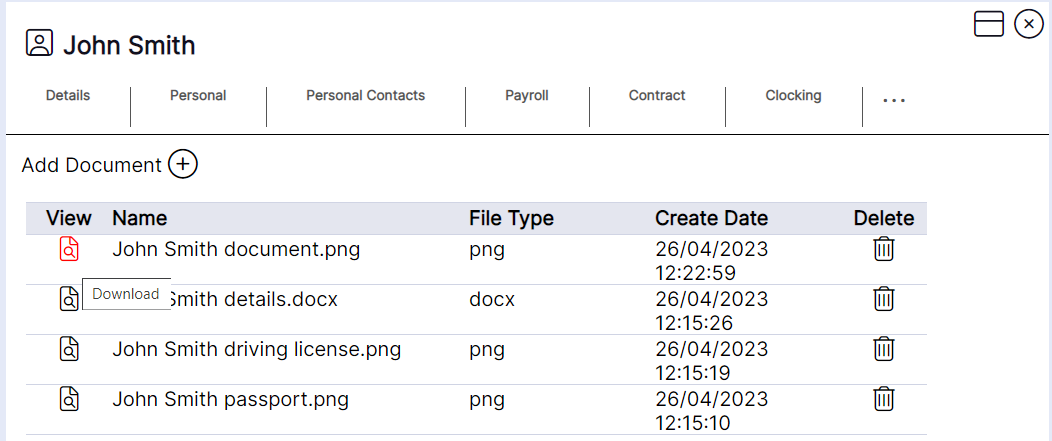
The name of the file and file type will display as per the uploaded document. The create date will display as per the time and date the upload took place on the staff member record.
Documents can be deleted from the staff member record using the bin icon; however, it is NEXTRA’s recommendation that documents are NOT deleted for audit history purposes. Documents should only be deleted if they are uploaded to a staff member in error.
Please note: NEXTRA will accept documents in the following formats:
Word, Excel, JPEG, Notepad, PDF, and PowerPoint.
The document will then download on the screen for you to select and view.