
Staff Member Access Roles Tab – Viewing existing records and audit history
Staff Member Access Roles Tab – Viewing existing records and audit history
The access roles tab on the staff record allow users to view the user type and access levels a staff member has in the NEXTRA system. The staff member’s primary access role to the system is assigned to this tab when selecting the user type on the details tab of the staff member record. This will be assigned with a start date which is the same as the effective date on their detials record, and an end date of 31/12/2099 if they have no further details tab records after their current record. Their primary access role is assigned with the same location as their principal site, as assigned on the details tab. Additional access roles (user types) can be assigned using the clipboard functionality. Any active access roles (user types), once assigned, will be available to select from the available roles menu in the top left hand corner of the homepage.
HANDY HINT: The user type selected as the staff member’s principal user type on their details tab will automatically be generated and assigned to the tab. No edit icon will be available for this user type from this tab as if a change is required to a staff member’s principal user type it should be updated on the staff member details tab.
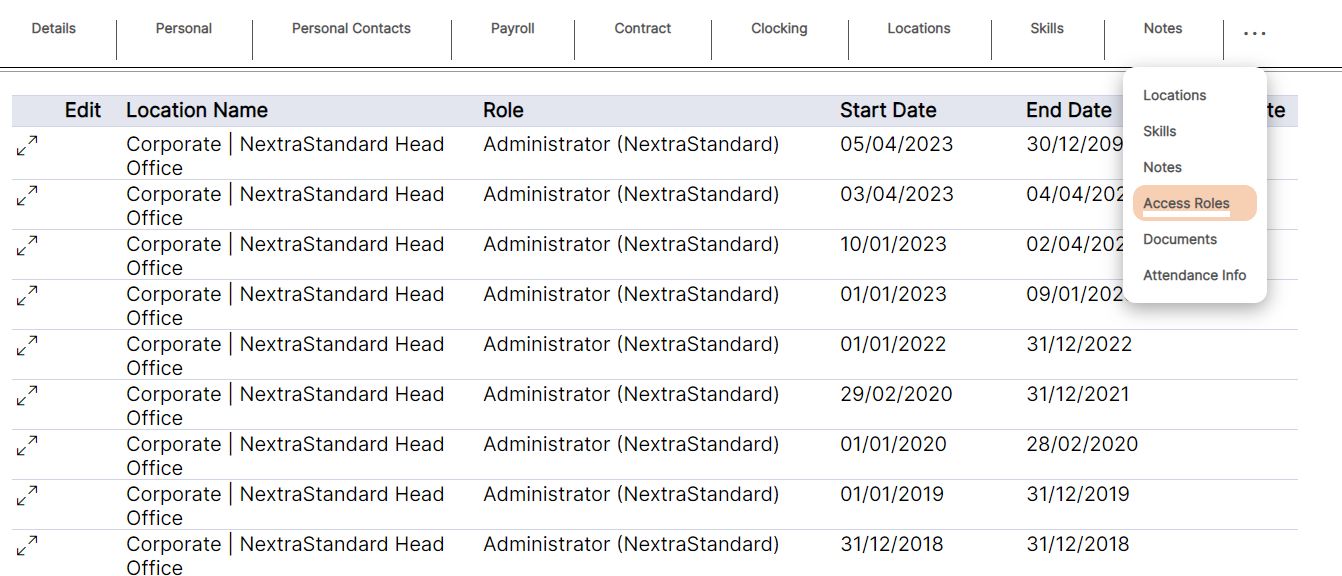
access roles (user types) will be displayed as per the example above. The location name, Start Date and End Date display as set by the user when adding the access role to the staff member.
Access Roles (user types) can be deleted from the staff member record using the bin icon; however, it is NEXTRA’s recommendation that Access Roles (user types) are NOT deleted for audit history purposes. If there is a change to an Access Role (user type) the Start Date and End Date should be amended. Access Roles (user types) should only be deleted if they are added to a staff member in error.