
Updating an existing record on the Payroll tab of the staff member record
Please note: NEXTRA recommends that, should a user need to make any change to a staff member record, that a new record is created. This can be particularly important for payroll purposes and paying staff correctly as of a defined effective date in the software, and to ensure that an accurate audit history is held of changes made to your staff member records. Records should only be edited if a mistake has been made when initially creating it. In order to edit an existing record, follow these steps below.
Step 1- Select "Edit" from the "Payroll" option.
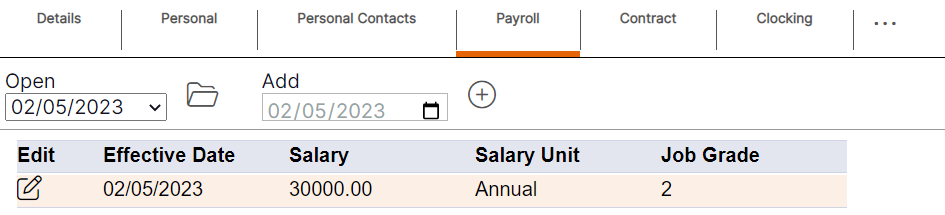
The record will open as shown below.

Step 2- Select "Ok" to update the existing record.
Please note: Once the updated record has been saved, there will not be an additional entry available on either the blue summary table or within the ‘Open’ drop-down menu as this is an update to an existing record.