
Updating an existing record on the Personal Contacts tab of the staff member record
Updating an existing record on the Personal Contacts tab of the staff member record
Please note: NEXTRA recommends that should a user need to make any change to a staff member record, that a new record is created as described in section 3.2.4.1 of this user guide. This can be particularly important for payroll purposes and paying staff correctly as of a defined effective date in the software, and to ensure that an accurate audit history is held of changes made to your staff member records. Records should only be edited if a mistake has been made when initially creating it. In order to edit an existing record, follow these steps:
Step 1– Select the edit icon on the record you wish to update from the blue summary table.
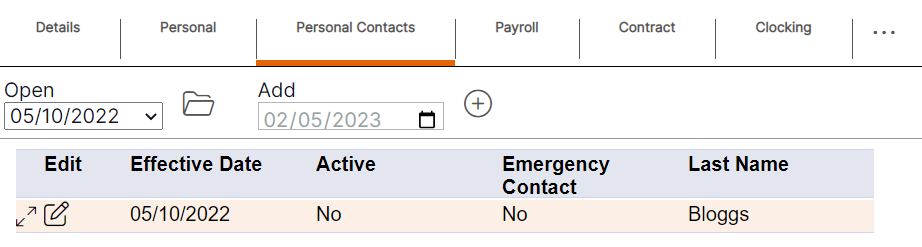
Step 2 – Update the details by using the drop-down menus or by deleting old data and typing in new data.
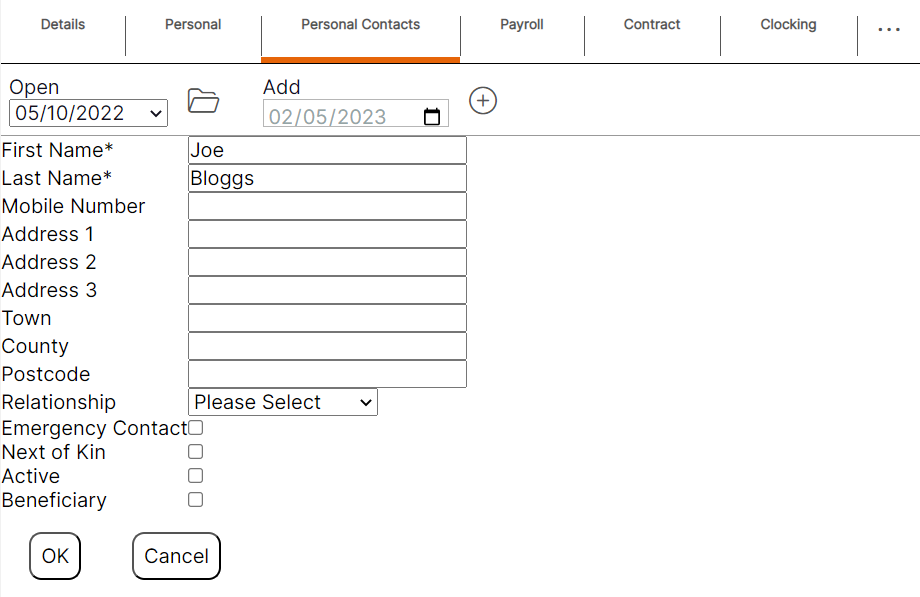
Step 3- Select "Ok" to update the existing.
Please note: Once the updated record has been saved, there will not be an additional entry available on either the blue summary table or within the ‘Open’ drop-down menu as this is an update to an existing record.
Staff Member Payroll Tab – Viewing existing records and audit history
When selecting the "Payroll" tab within a staff member record, it will display as per the screen shot below. This allows the user to view some of the details of each record quickly and easily without having to open any of the records.
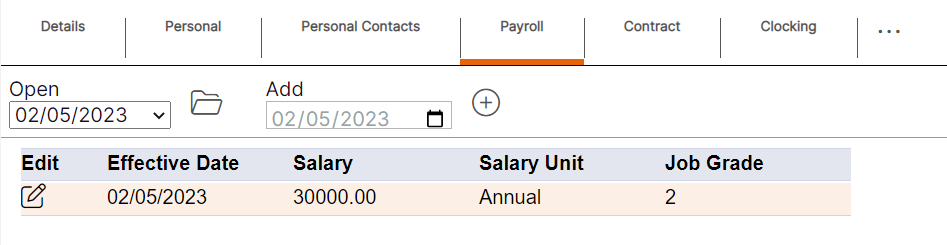
HANDY HINT 1: Where the summary table has more than one entry, the record that is active for the staff member will display at the top of the table for ease. The ‘Open’ drop-down menu will also default to the active record in order that the user can access the current record without having to select the drop-down menu.
HANDY HINT 2: The summary provides the user with an audit history record as to when changes were made for the staff member, and the date those changes came into effect.