
Staff Member Details Tab – Viewing existing records and audit history
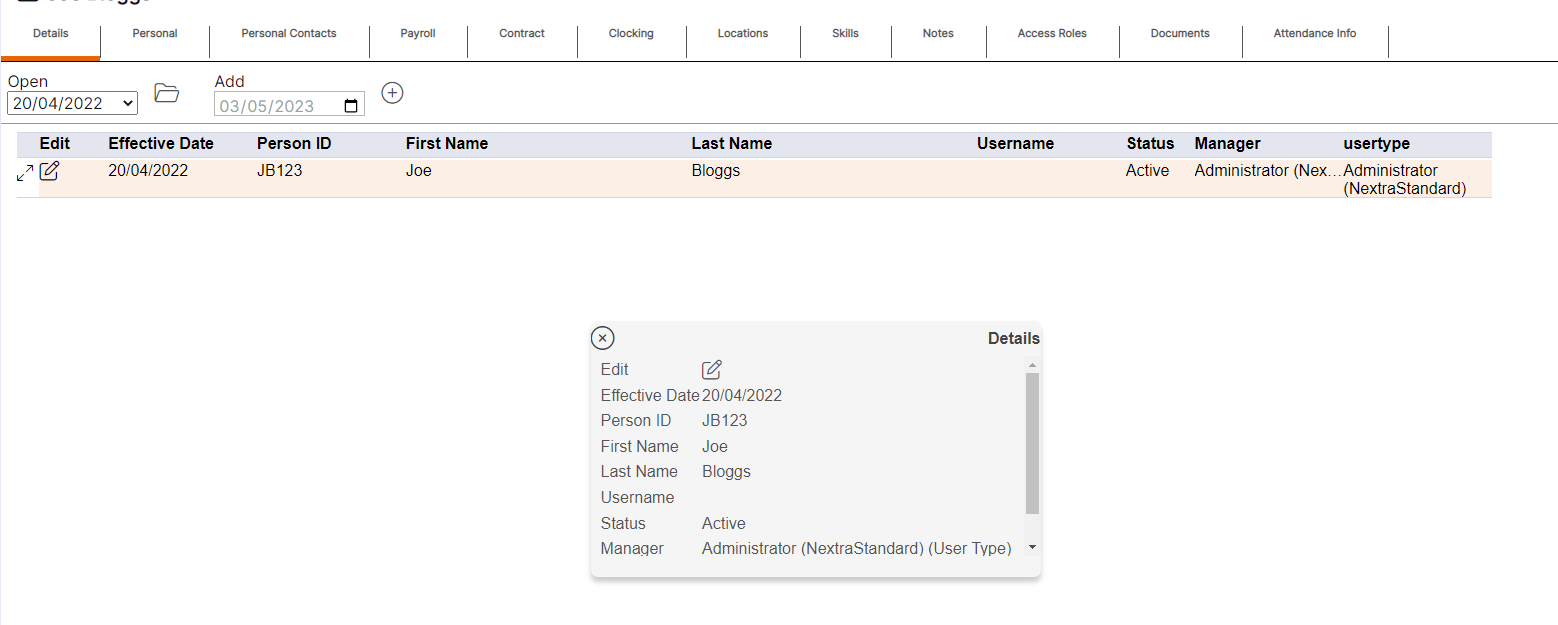
When initially opening a staff member record, the Details tab will display as per the screenshot below. This allows the user to view some of the details of each record quickly and easily without having to open any of the records.

If users are viewing a staff member's record on a tablet (i.e., a device with a smaller screen), they can select the mobile optimisation arrow to view the details on the summary table within a pop-up. This will display as per the example below:

HANDY HINT 1 - The summary provides the user with an audit history record as to when changes were made for the staff member, and the date those changes came into effect.
HANDY HINT 2 - Where the summary table has more than one entry, the record that is currently active for the staff member will display at the top of the table for ease. The Open drop-down menu will also default to the active record so the user can access the current record easily without having to find it in the drop-down menu.