
Staff Member Locations Tab – editing existing records
'Location’ and ‘Group’ records can be edited from the ‘Locations’ tab of the staff member record using the following steps:
Step 1– Select the edit icon in front of the ‘Location’ or ‘Group’ record.
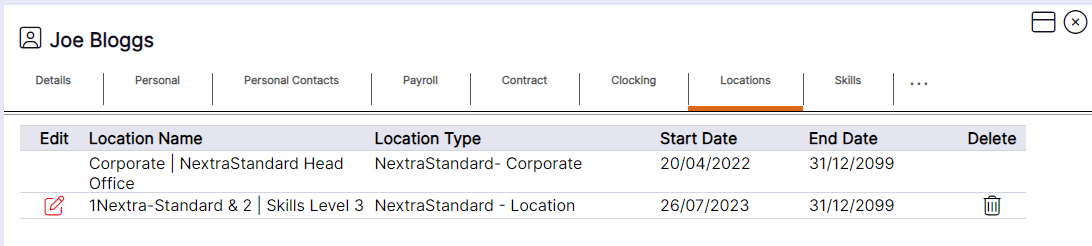
The selected ‘Location’ or ‘Group’ record will then be displayed as per the example below. The ‘Start Date’ and ‘End Date’ can be edited as follows:
Step 2 – Edit the date fields or select the required date using the calendar icon.
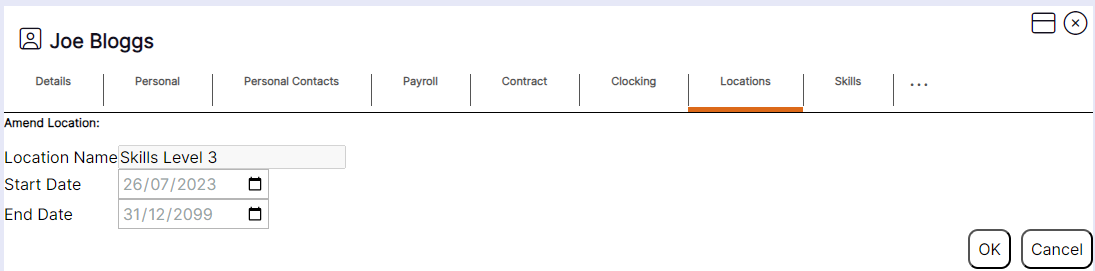
Step 3 – Select ‘OK’ to update the existing record.