
Holiday Group Member List Tab – Viewing the audit history of staff members assigned to the group
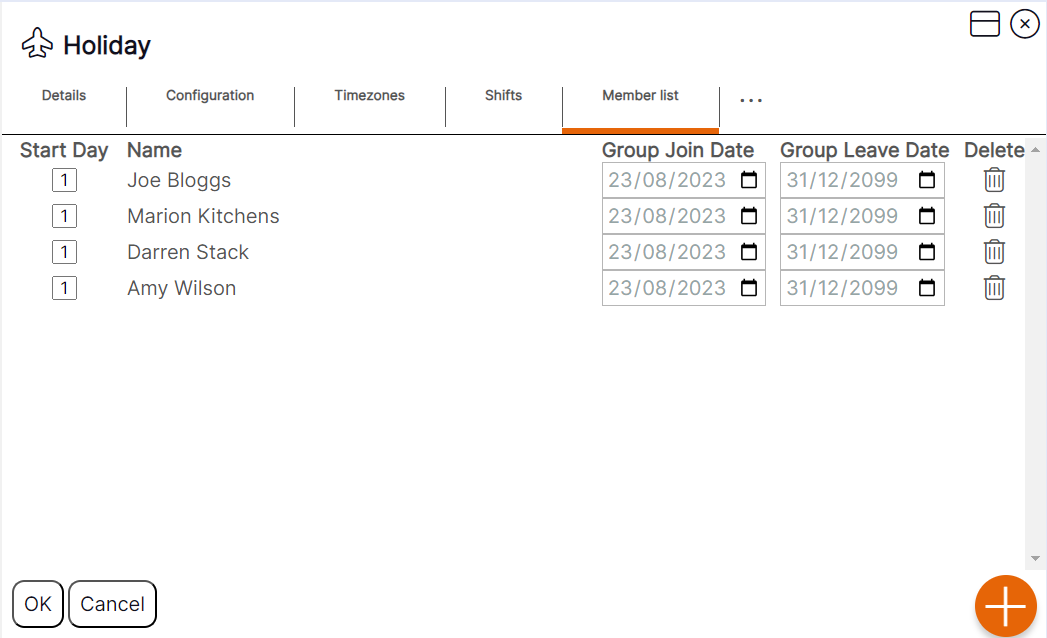
Users can view which staff members are currently assigned to, and any who have ever been assigned to, a ‘Holiday group’ by clicking on the ‘Member List’ tab as per the example below.
The process users must follow to assign a staff member to a ‘Holiday group’ is by using the ‘Clipboard’ functionality.
Holiday Group Member List Tab Guidance
Start Day: This will always be 1 within the Holiday group.
Group Join Date: The start date assigned to the ‘Holiday Group’ allocation as shown on the ‘Locations’ tab of the staff member record.
Group Leave Date: The end date assigned to the ‘Holiday Group’ allocation as shown on the ‘Locations’ tab of the staff member record.