
How to create a virtual clocking terminal
Virtual clocking terminals allow users to clock in and out from any device with an internet connection. Users can access the terminal using a specific URL for their department, location or business.
To set up a virtual clocking terminal, please follow these steps:
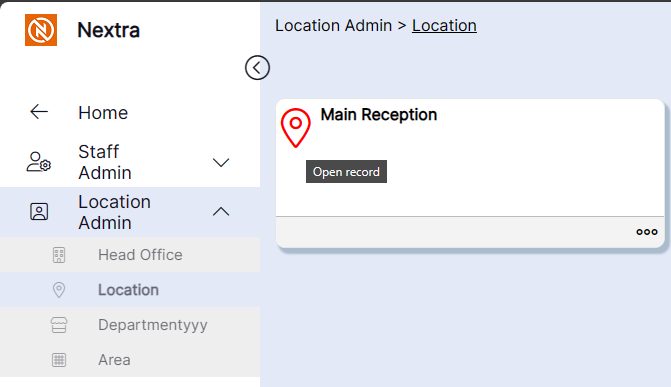
- From the Admin section, locate the location you wish to create the virtual clocking terminal for:
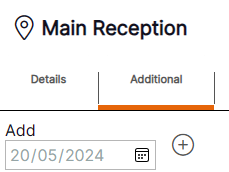
2. Select the 'Additional' tab and the plus icon to create a new record:
- Enter a reference word for the virtual clocking terminal in the 'Tablet Clocking' field and select 'OK':
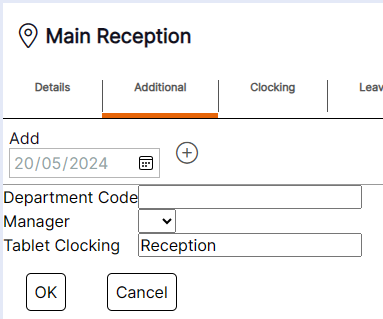
- To access the terminal use your system URL with the following text appended to the end in place of the text 'login':
clocking?location=[TabletClocking]
i.e. https://nextra.com/nextra_demo/clocking?location=reception
The virtual clocking terminal will display as follows:
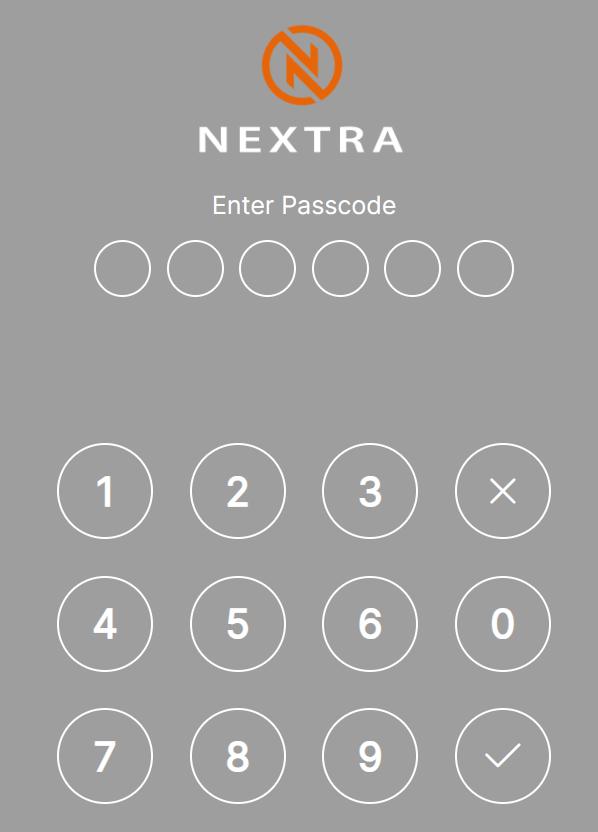
Users should use their Clocking PIN as held on their HR record to clock in and out.