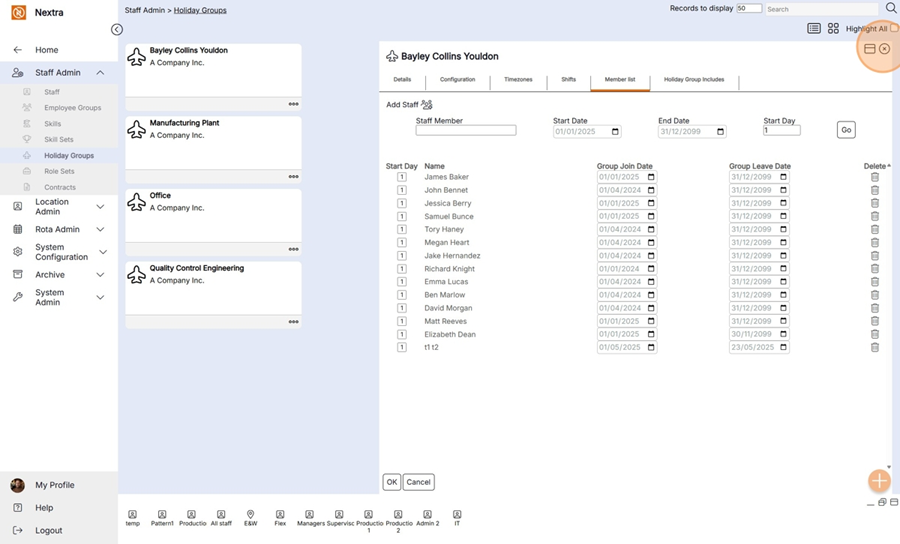
Adding a staff member to a holiday group
A staff member needs to be part of a holiday group in order for them to book absences.
The following instructions show how to do this.
From the Staff Admin, click Holiday Groups
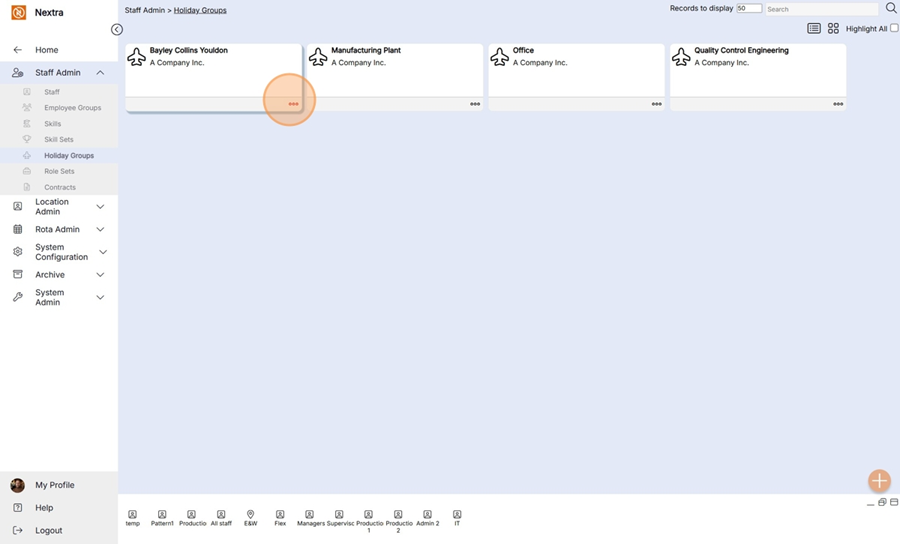
Step 1- Click the 3 dots of the holiday group the staff member is being added to.
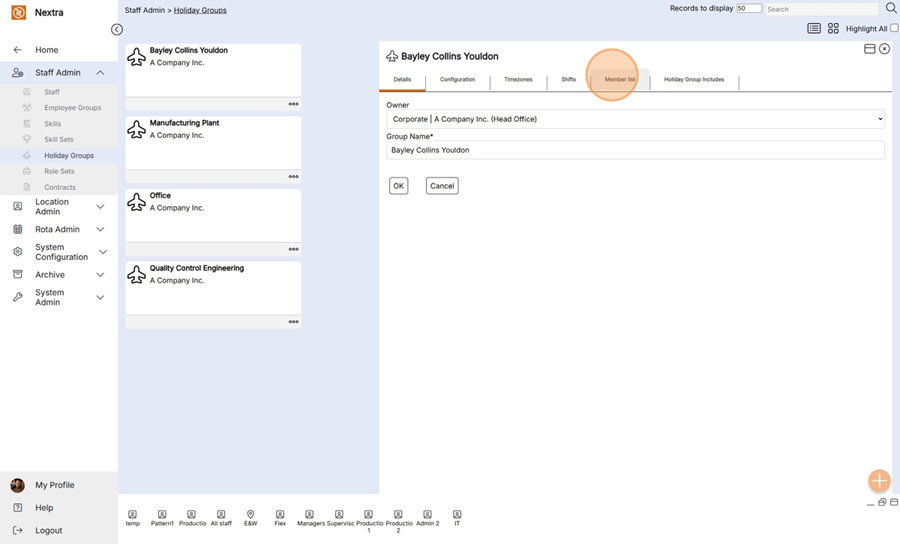
Step 2 - Click the Member list tab
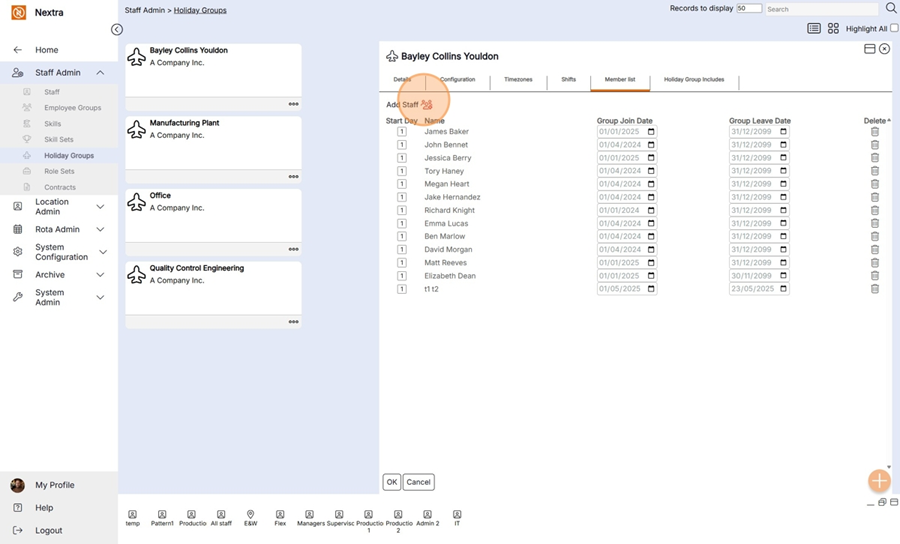
Step 3 - Click the add staff icon
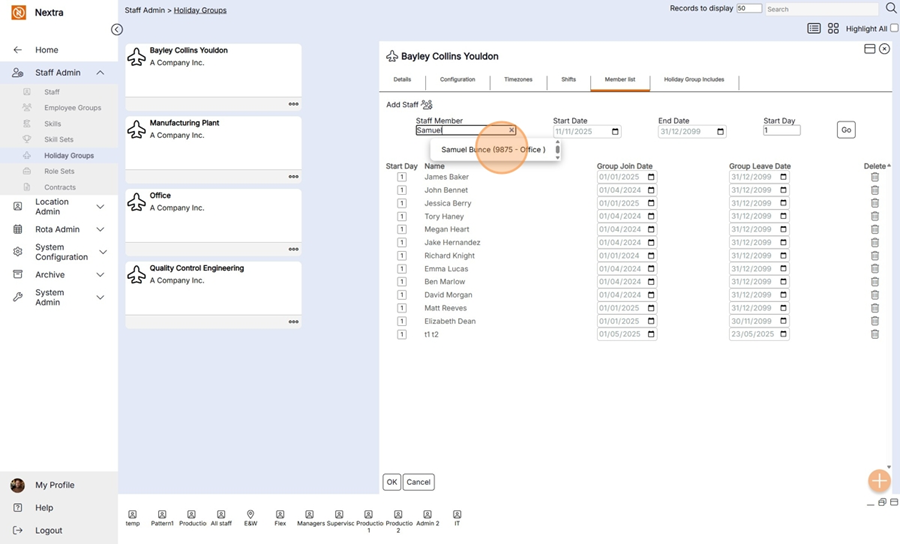
Step 4 - Enter the name of the staff member
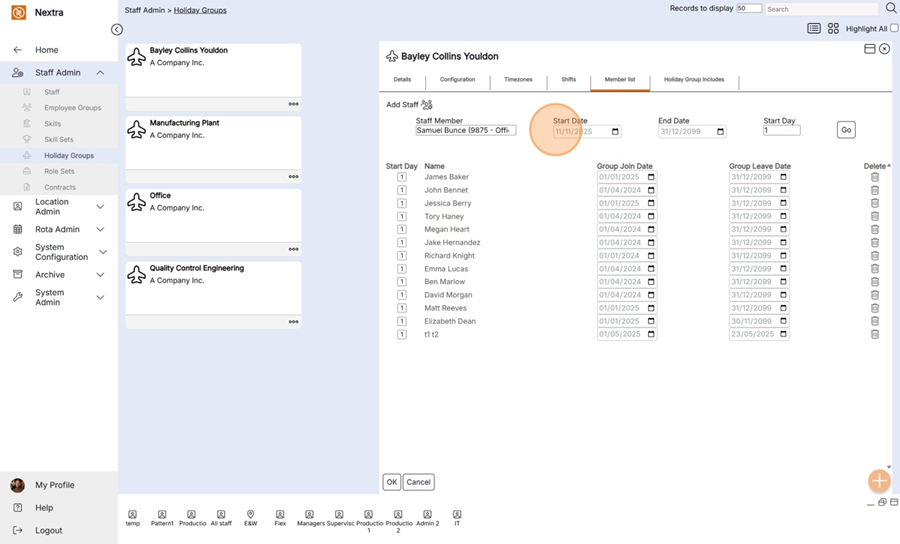
Step 5 - Enter the staff members start date
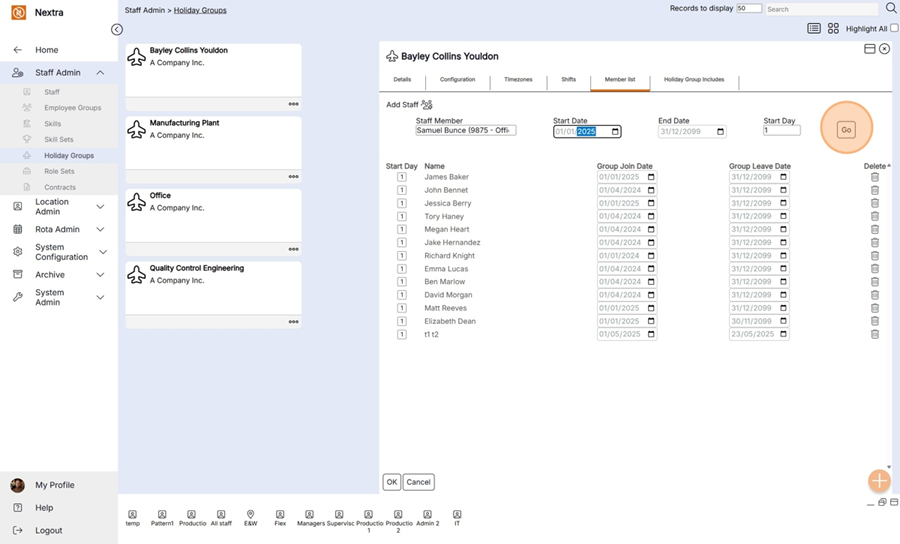
Step 6 - Press Go to add the staff member to the group
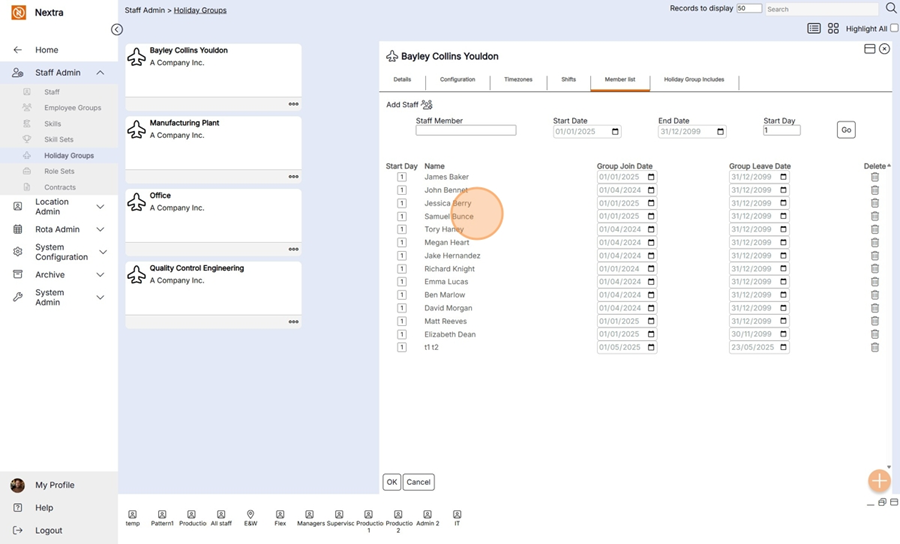
The staff member is now within the holiday group
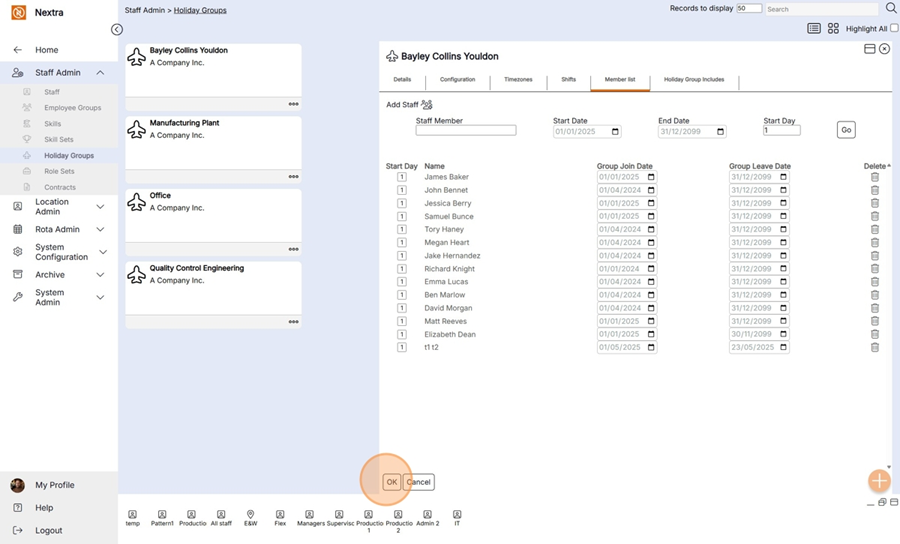
Step 7 - Press OK
Step 8 - Press OK on the pop up message
Step 9 - To close the screen click the cross.