
Attendance Info Tab - Clockings
You will be able to report the history of the handling of the staff members clockings (i.e., the actual start and end times reported by the staff member for work using the clockings devices) for a staff member by using the attendance info tab on staff member records. To report on a history of the handling of a staff member’s clockings, you can follow these steps below.
Step 1- Select the "Clockings" option.
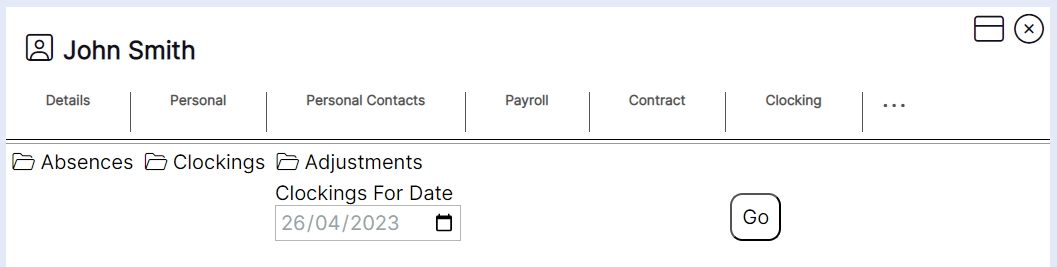
Step 2- Select the date you wish to report on clockings received for your staff member then press "Go".
HANDY HINT: You can only report on "Clockings" one day at a time from the "Attendance Info" tab.
The report for this staff member’s clockings will then load as per this example:
HANDY HINT: The report shows the user a full history of when the clockings were received and processed for the staff member on the day in question.
Where the description states ‘and created’ on the end this indicates this was the first time clockings have been received.
The "Is Processed" status advises the user of the following:
False – indicates adjustments (differences between planned shift and actual clocking times) are not yet calculated, i.e., only 1 clocking is received at this stage (for example the clock IN and the staff member is currently at work) or approve has not been pressed by a user on the clocking screen if the system is set to not auto-approve clockings.
True – indicates adjustments have been calculated, i.e., the auto-approve process has run after a clock OUT has been received, or a user has pressed approve on the clocking screen to generate the adjustments.