
Rota Periods
"Rota periods" are date ranges the user can create to view the rota by. Rota periods created in the Admin screen will appear in the drop-down menu on the Rota. The user can then select a Rota Period as a date range to view the rota.
Follow these steps to view current Rota Periods to be displayed in the drop-down menus for use in the Rota.
Step 1– Select the "Rota Admin" tab.
Step 2- From the drop down menu select "Rota Periods".
Step 3– Open the record by selecting the three dots in the bottom righthand corner or the calendar in the top left corner.
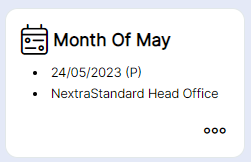
The Rota Period record will then open, see example below.
