
Amending existing ‘Absence Type’ Groups
Users can amend existing ‘Absence Type Groups’ using the following steps:
Step 1– Select or de-select the tick box next to the ‘Absence Type’ you wish to include or exclude from this ‘Absence Type’ group.
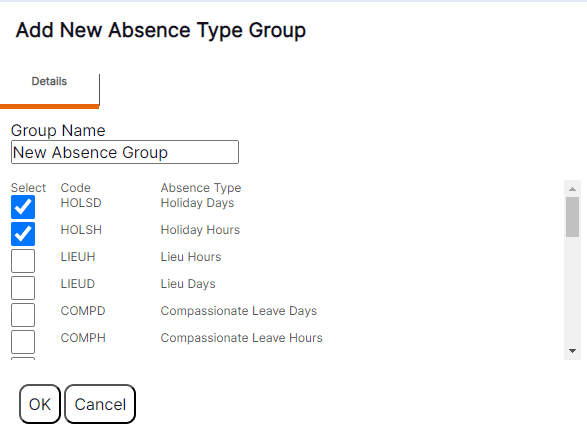
Step 2– Select ‘OK’ to save the updates you have made to the access for this ‘Absence Type Group’.
HANDY HINT: When an ‘Absence Type Group’ is amended, the relevant ‘Absence Types’ will only appear for use against the staff member once the overnight process has run in the system to pick up the relevant changes. Therefore, users should be aware that they will need to wait until the next day for the ‘Absence Types’ to become available or removed, following making a change to the ‘Absence Type Group’.