
Holiday Group Includes Tab – Viewing the ‘Absence Types’ currently controlled by this Holiday group
Users can view which ‘Absence Types’ are currently assigned to the Holiday Group by clicking on the ‘Holiday group Includes’ tab as per the example below.
The ‘Absence Types’ selected on this tab, are the ‘Absence Types’ that the system will apply the rules configured on the Configuration and Time zones tab when absence bookings are made for staff members assigned to this group. I.e., if an ‘Absence Type’ is not selected on this tab, the rules applied on the Configuration and Time zones tabs will not apply to bookings made with that absence type.
Holiday Group Inc
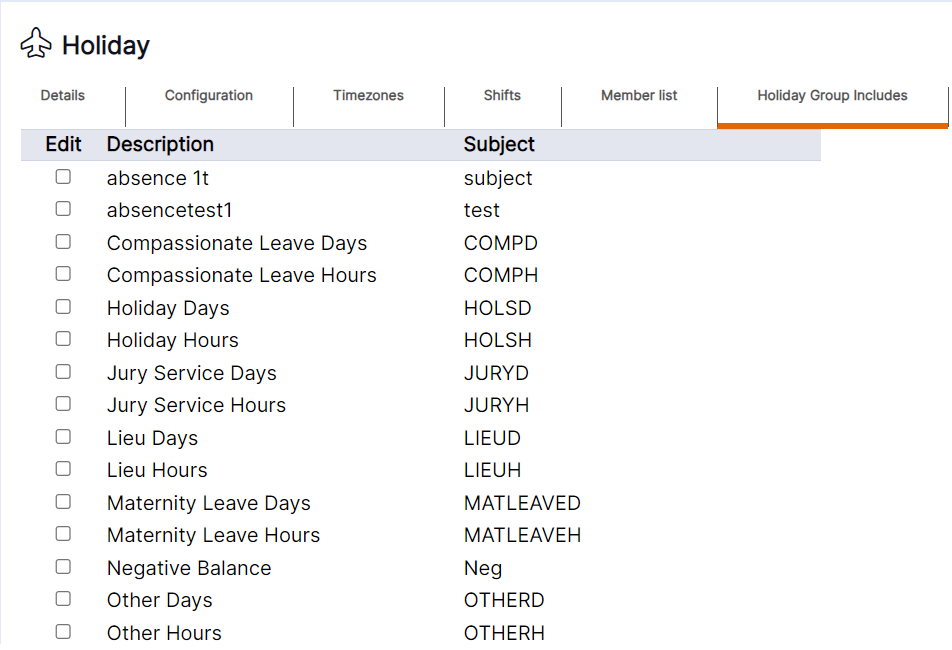
The tab will display the name of the ‘Absence Type’ in the first column after the tick boxes and the default subject applied to the ‘Absence Type’ on the ‘Absence Type’ record.
Use the tick boxes you would like the rules configured for this ‘Holiday Group’ (i.e., on the configuration and time zones tabs), to apply to.
HANDY HINT: ‘Absence Types’ will only appear as an option to select on this tab if it has been set to be available on this tab on the ‘Absence Type’ record.