
Updating an existing record on the Member List tab of a Pattern group record
Step 1– Update the details by deleting old data and typing in new data.
Step 2– Select ‘OK’ to update the existing record.
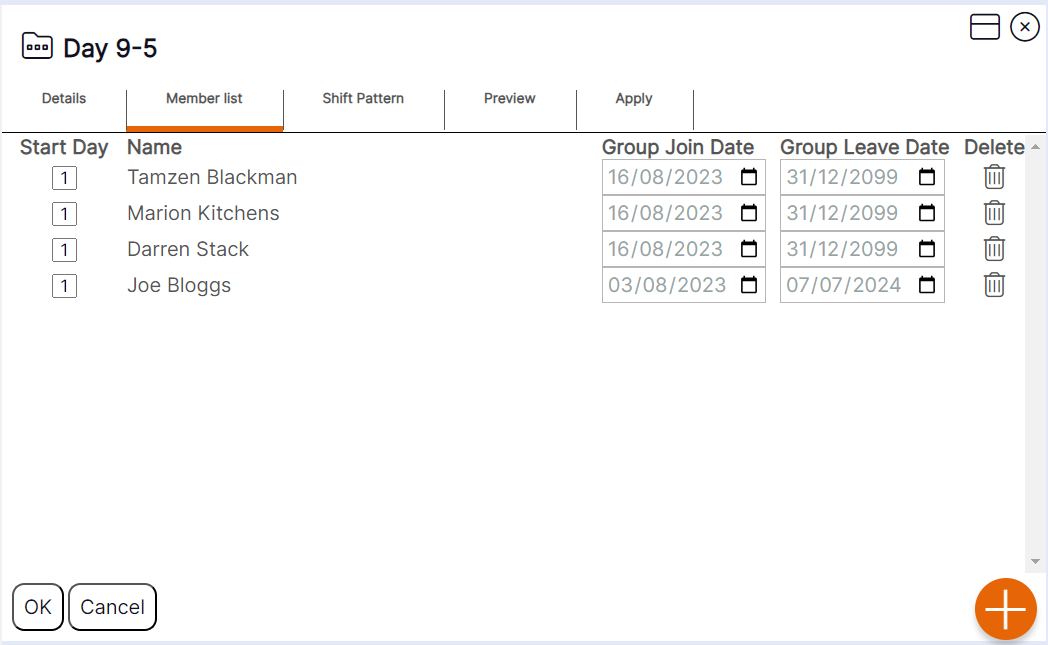
Users can delete staff from the pattern group by using the bin icon. NEXTRA do recommend if staff leave a pattern group that the calendar icon is used to update the end date for them within the group for audit history purposes. Delete should be used when staff are added to a pattern group in error.
HANDY HINT 1: You will not be able to generate rotas for staff on a pattern basis without them being assigned to a pattern group, you will only be able to add shifts to them manually on the rota.
HANDY HINT 2: Amending the dates of a staff member’s allocation to a pattern group from this view will also update the dates on the record assigned to the ‘Locations’ tab of their staff member record.