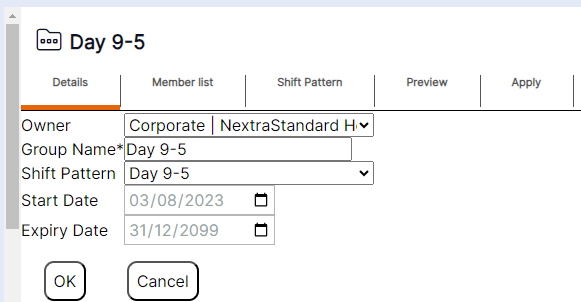
Viewing existing Pattern Groups
Pattern Groups can be viewed and edited in the system as follows:
Step 1- Select "Rota Admin"
Step 2- Select "Pattern Groups"
Step 3- Click anywhere in the chosen tile until a blue tick appears in the top right hand corner
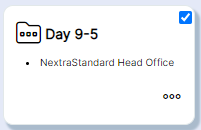
Step 4- Open up the tile once selected by clicking on the icon or the name
The Pattern Group record will display as per the example below: